
NIRO × WhatsApp
Turn WhatsApp conversations into real customer relationships.
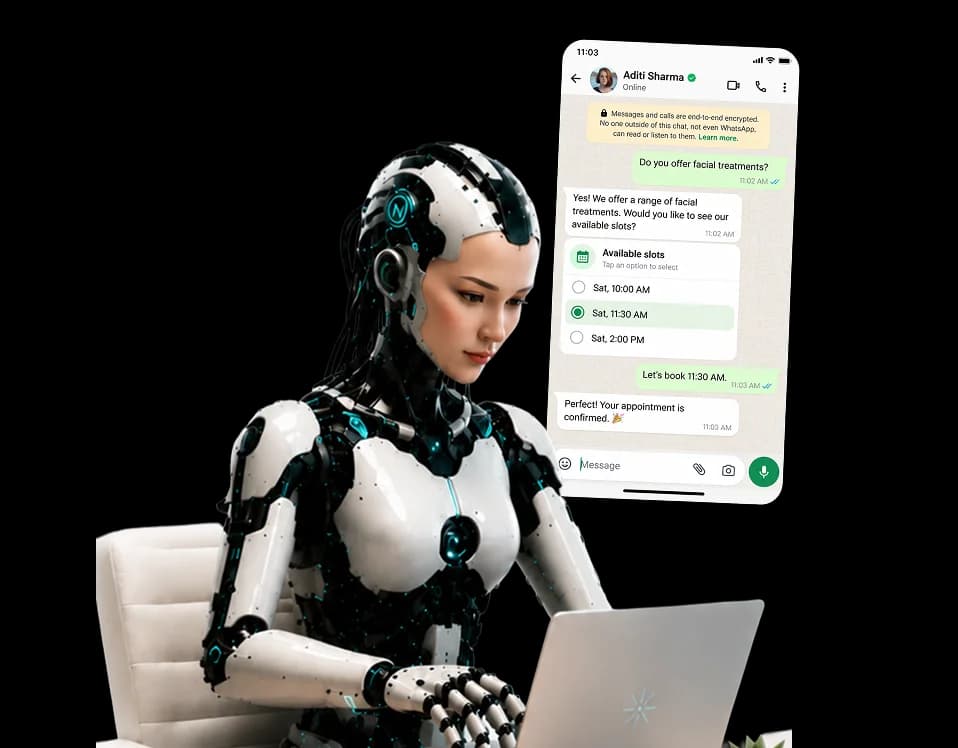
NIRO brings AI-powered conversations, appointment booking, lead capture and human handover directly to WhatsApp, using the same business knowledge, calendar and customer record across your customer experience.
- No credit card required
- Quick setup
- Cancel anytime

Everything your customers need, right inside WhatsApp
From answering questions to booking appointments and capturing leads, NIRO handles the conversation using your business knowledge.
AI Conversations
Answer customer questions using your approved business knowledge.
Appointment Booking
Check availability, book appointments and allow customers to reschedule or cancel.
Customer Recognition
Automatically create and update customer records from every conversation.
Lead Capture
Collect the information you need to qualify leads through natural conversation.
Human Handover
When needed, NIRO alerts your team and hands over the conversation smoothly.
From the first message to the next action.
NIRO understands the request, uses your business information and keeps customer data connected.
"Hi, I'd like to book a facial this weekend."
Customer
Sends a message
WhatsApp
New message received
NIRO
Understands the request
Knowledge
Checks your business information
Calendar
Finds available slots
CRM
Updates customer record
"Your appointment is confirmed!"
Customer
Receives the answer


All connected. All in one customer experience.
Connect your WhatsApp Business number.
Set up your Business connection and get NIRO ready to handle customer conversations.
Connect your Meta Business account
Use your existing Meta Business setup to get started.
Add your WhatsApp credentials
Enter your API details and phone number.
Configure the connection
Set preferences and webhooks.
More than a messaging channel.
Turn everyday conversations into meaningful customer experiences with the power of AI, your business knowledge and your team.
Respond instantly
Answer customer questions in WhatsApp chats and keep conversations moving.
Convert conversations
Turn questions into bookings and qualified leads.
Keep the relationship
Customer information and conversation history stay connected.
WhatsApp chatbot FAQ
Yes. NIRO connects in coexistence mode by default, so the app stays on your phone. If you reply to a customer from the app, the AI pauses on that chat until you hand it back.
NIRO runs on Meta's official WhatsApp Business Platform, and the Connect with Meta flow sets it up for you. If you already have an account, you can connect it manually with your WhatsApp Business Account ID, Phone Number ID and access token.
Meta bills WhatsApp conversations directly to the payment method on your Meta business account. Your NIRO plan covers the assistant itself, and WhatsApp is included from the Starter plan.
Yes. Anyone on your team can take over a chat from the NIRO inbox and reply in person. WhatsApp only allows business replies within 24 hours of the customer's last message, and NIRO shows when that window has closed.
Yes. Booking confirmations, reminders, cancellations and reschedules go out automatically on Meta-approved templates, and you can schedule broadcast campaigns to your customer list with templates of your own.
You choose your assistant's languages in NIRO's settings. English, Spanish, French and Catalan are supported today, with more on the way.
Connecting your number takes about five minutes. Meta usually reviews the booking templates within 24 hours, and template messages such as reminders start as soon as they are approved.
Your customers are already on WhatsApp.Let NIRO meet them there.
Give customers instant answers, effortless booking and a direct path to your team, all through one AI assistant.